

After over a year of waiting, any and all businesses, large or small, now have access to the Google Posts feature inside of Google My Business.
Originally rolled out for political candidates in January 2016 and more recently for things like sports teams and museums, the feature has been made accessible for ANY business that has a Google My Business page.
What Exactly are Google Posts?
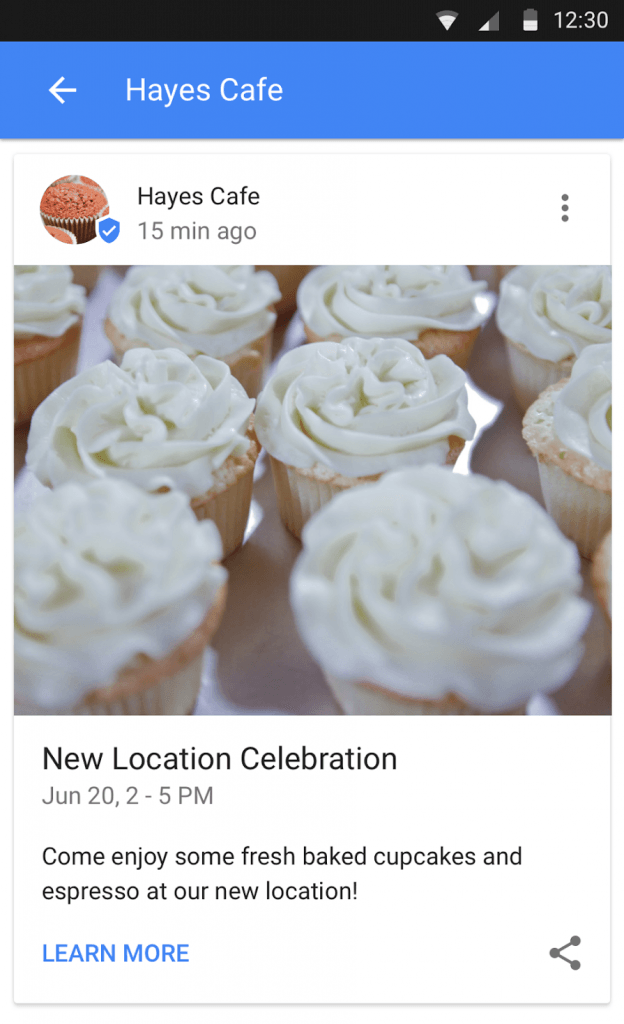
At their core, they are panels of information that go alongside your Google My Business sidebar that shows up in search results.
That information can be whatever the business wants, from upcoming events they are hosting, to specials and sales, to new and featured products, whatever the business feels is important enough to share.
How To Use Google Posts
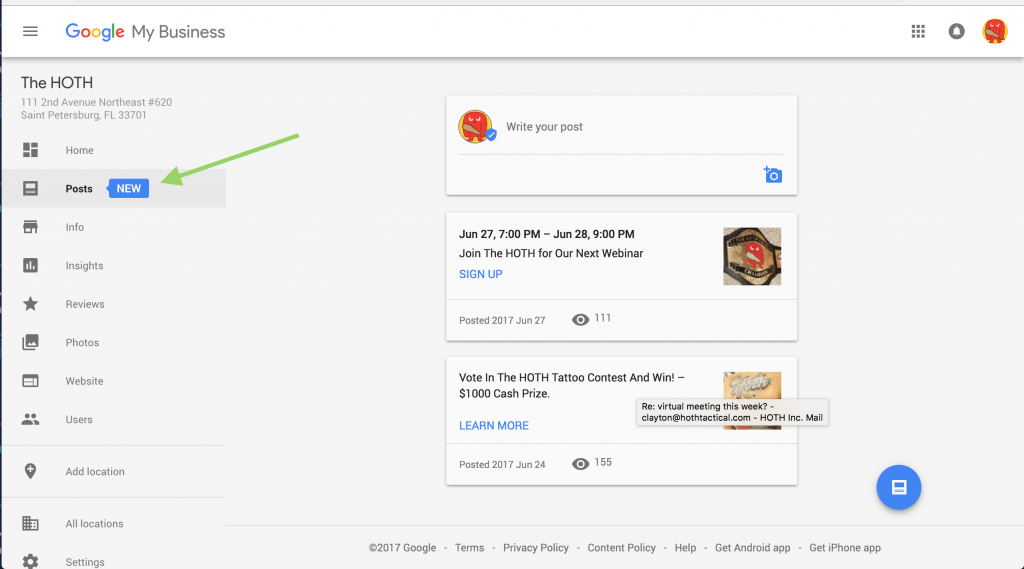
Step 1: Login to Google My Business
Just go to your Google My Business Page, click on “Posts”
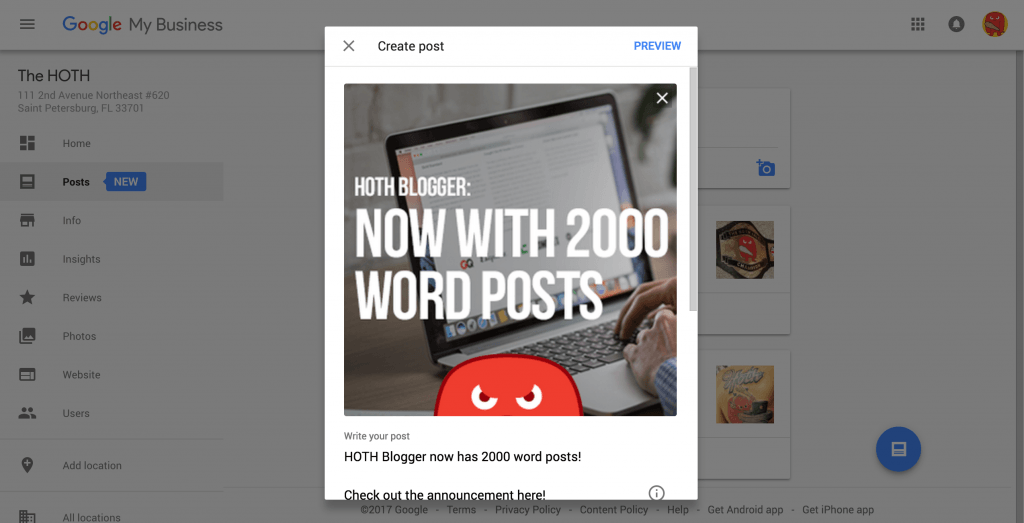
Step 2: Create Your Post
Enter in whatever info you want for your Post, include a picture (must be 344px x 344px).
Step 3: Add A CTA
You can add a call to action to a URL or make an event.
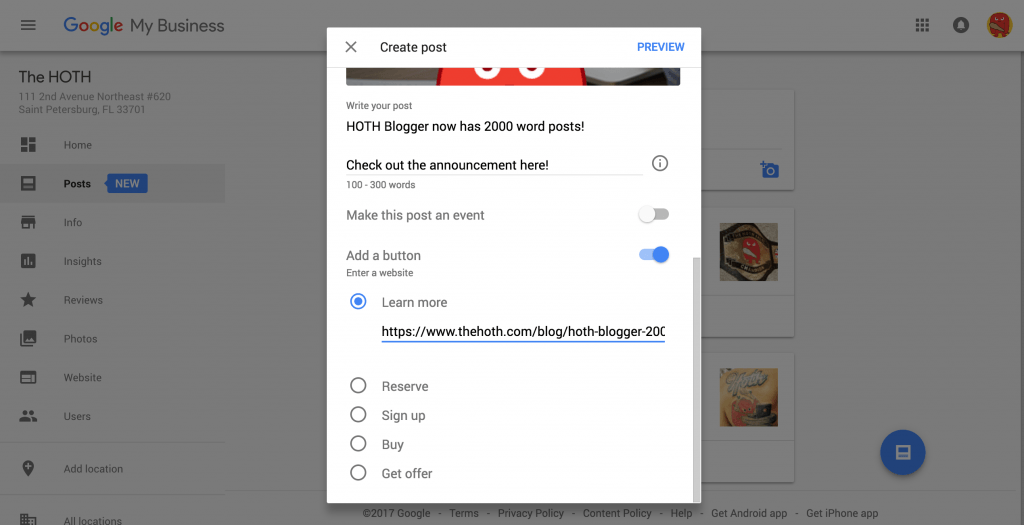
Step 4: Publish Your Google Post
Send it out for the world to see! Your Post will show up in both search and map results.
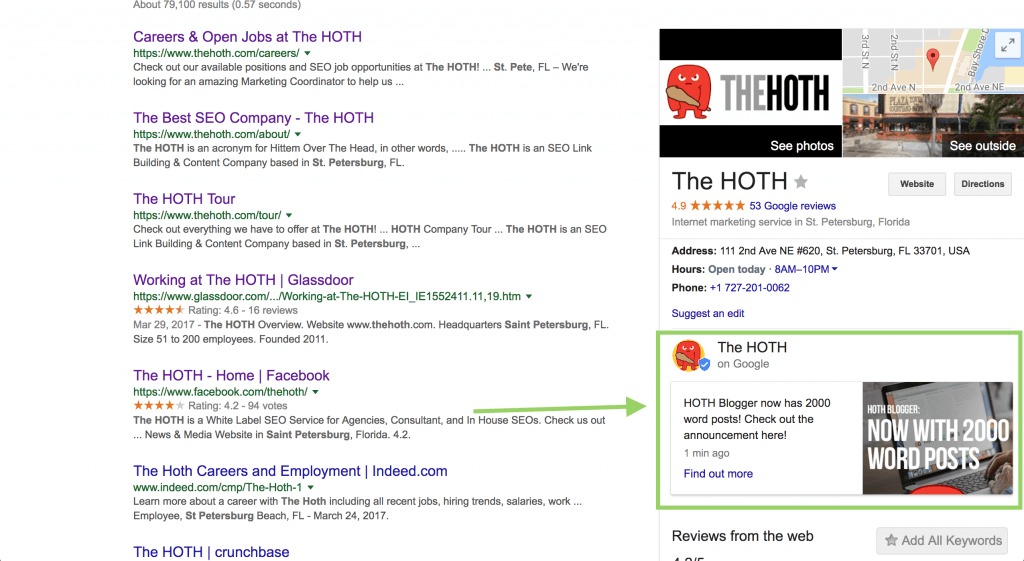
Google Posts with your Google My Business page can be a great new way to promote news, deals, blog content and more.
Both you and your customers can benefit when your page shares things with them like daily specials or current promotions, new or featured products, events you’re hosting, or your latest blog post.
Conclusion
Google Posts is a cool new way to update your customers and people searching for your brand.
How are you using them? We’d love to hear in the comments!
Leave a comment