

If you run a local SEO campaign or manage a Google Business Profile (GBP), listen up!
On November 3rd, 2025, Google officially discontinued its Q&A API, meaning you can no longer read or post Q&As on your GBP.
The public-facing deprecation is soon to follow on December 3rd, so the days are numbered for your Q&A section.
Why would they get rid of a seemingly helpful feature?
Google is saying goodbye to pre-written Q&A sections in favor of an AI-powered ‘Ask Maps’ feature.
Instead of turning to your GBP’s Q&As, users will be able to ask Gemini conversational-style questions about your business, and the LLM will generate an answer.
An example would be asking Gemini if the florist up the street is open on Sundays.
Gemini will pull information from the florist’s GBP to provide an accurate answer.
Herein lies the connection to your local SEO and the urgency of this message.
If your GBP isn’t optimized with accurate, up-to-date information, Google’s AI won’t have the data it needs to answer your audience’s questions.
As a result, you may lose leads to competitors who have more complete Business Profiles.
Whether you’re a local contractor, a restauranteur, or any type of local business owner, this change will affect you.
Stay tuned to learn more about the GBP Q&A section removal and what you should do about it.
How Does the ‘Ask Maps’ Feature Work?
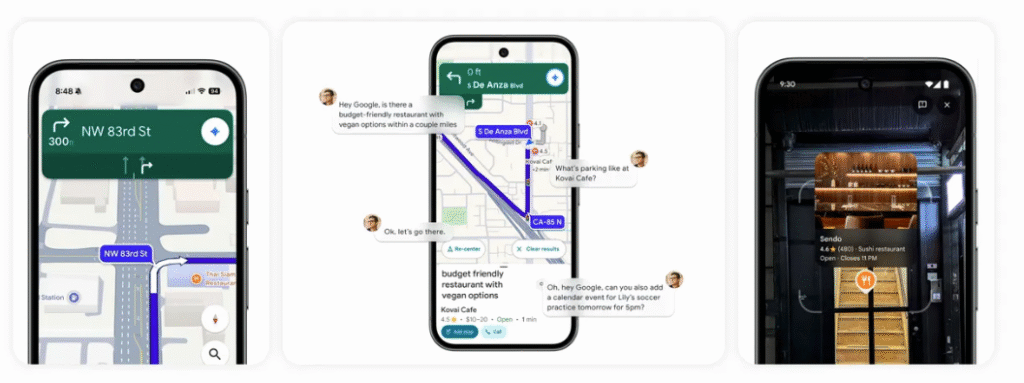
Google is likely replacing static Q&A sections in an attempt to make Business Profiles more dynamic.
However, as with most of the company’s actions, their true motive remains a mystery.
The abrupt removal of Google’s Q&A API comes as a shock to many marketing agencies and local business owners, as it occurred abruptly.
The Q&A section was also a great way to include trending local keywords and related questions.
So, if you feel caught off guard by this announcement, know that you’re not alone.
Yet, at this point, it’s nothing new for search marketers.
The entire industry has been going through radical changes over the past two years, and we’re all adapting in real-time.
Google’s ‘Ask Maps’ feature works similarly to its AI Overviews (both are powered by its LLM, Gemini).
Users ask whatever questions they want about a local business, and the AI provides answers.
However, the AI relies on your data to generate these answers.
If it’s incomplete or inaccurate, you risk disappointing or misleading your target audience.
Gemini pulls data from:
- Your Google Business Profile
- Your website
- Customer reviews
- Publicly available online sources
If these areas are populated with accurate, detailed information about your business, Gemini will have plenty of great things to tell your potential customers.
Thus, it’s more important than ever to properly manage your Google Business Profile as well as your local reviews and reputation.
What You Should Do with Your GBP Right Now
It can be difficult to part ways with your expertly written and thoroughly researched Q&As.
The good news is that, with the removal of the Q&A section, managing your GBP actually becomes a bit easier.
You no longer have to worry about updating it or fear that it may contain misleading information.
Here’s what you should focus on instead.
Establish a rock-solid foundation
This may seem like a no-brainer, but you’d be shocked at how many businesses don’t have a fully completed profile.
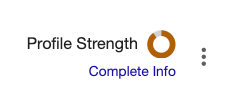
Whenever you log in to your GBP, you’ll see an icon representing the completeness of your profile. If it’s not a solid circle, there’s something missing:
Since your goal is to equip Gemini with as much high-quality information about your business as possible, every section needs content:
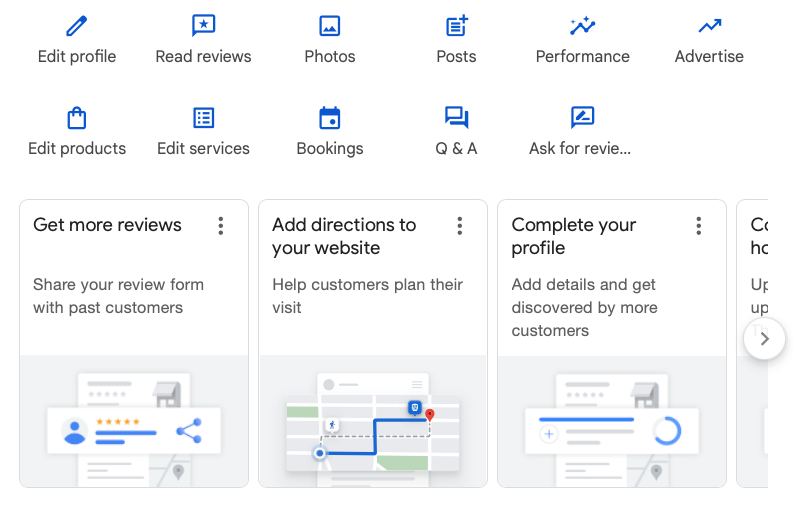
You should include:
- Business name
- Address
- Phone number
- Hours of operation
- A comprehensive list of services
- A link to your official website
- High-resolution photos of your business (exterior and interior)
- Posts updating your audience about special events and promotions
- Links to your social media profiles
Also, ensure that each list item is accurate and up-to-date. The last thing you want to do is provide Google’s AI with outdated or outright false information to provide to your customers.
If you’ve recently changed phone numbers or addresses, you need to update them everywhere that your business’s NAP (name, address, and phone number) appears online.
| Need help updating your local business’s information? Our Local Citation Cleanup service is perfect for getting rid of inaccurate or outdated business information! |
Optimize every facet of your profile
Besides filling out every section of your profile, it also needs to be optimized for AI visibility.
Here are some pointers:
- Write with conversational-style language in each section. Use short sentences and paragraphs for maximum readability.
- Answer frequently asked questions concisely (and immediately after presenting them).
- Be as detailed with your service information as possible, like if you accept custom requests.
- Show off your accolades (awards, certifications, credentials, etc.) to build trust.
- Display your business’s exterior (include surrounding streets if you can) and interior.
- Make frequent use of GBP’s Posts feature to keep your audience (and Gemini) informed about what’s going on at your business.
Implement a review strategy
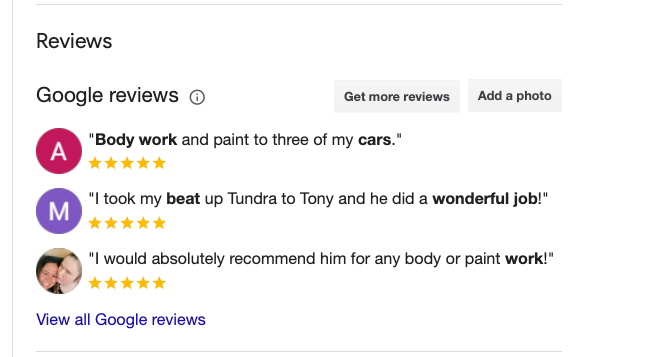
Your reviews are more important than ever before since Gemini can pull quotes from them.
The result?
You must maintain a strong review profile in order to maintain strong visibility.
Besides asking customers for new reviews, you should also respond empathetically to any negative feedback you receive.
It’s important not to delete negative reviews, as tempting as it may be.
For most consumers, a flawless review profile is actually a red flag.
You’ll actually build more trust with a score like 4.6 or 4.7 instead of a perfect 5.
According to a survey by BrightLocal, 68% of consumers trust brands more when they see a mix of positive and negative reviews. What matters is how you respond to your negative feedback, so remain courteous and do your best to resolve the issue.
Final Thoughts: Goodbye Q&A Section, Hello Ask Maps Feature
To give you the TL:DR:
The Q&A section on GBP is disappearing, and generative AI is taking its place.
If your GBP isn’t fully optimized with up-to-date information, you now risk misleading your audience.
Stay one step ahead of what’s coming and update your GBP as soon as possible.
Would you rather have our expert team optimize your GBP?
Don’t wait to sign up for our Review and Reputation Management service!
Leave a comment